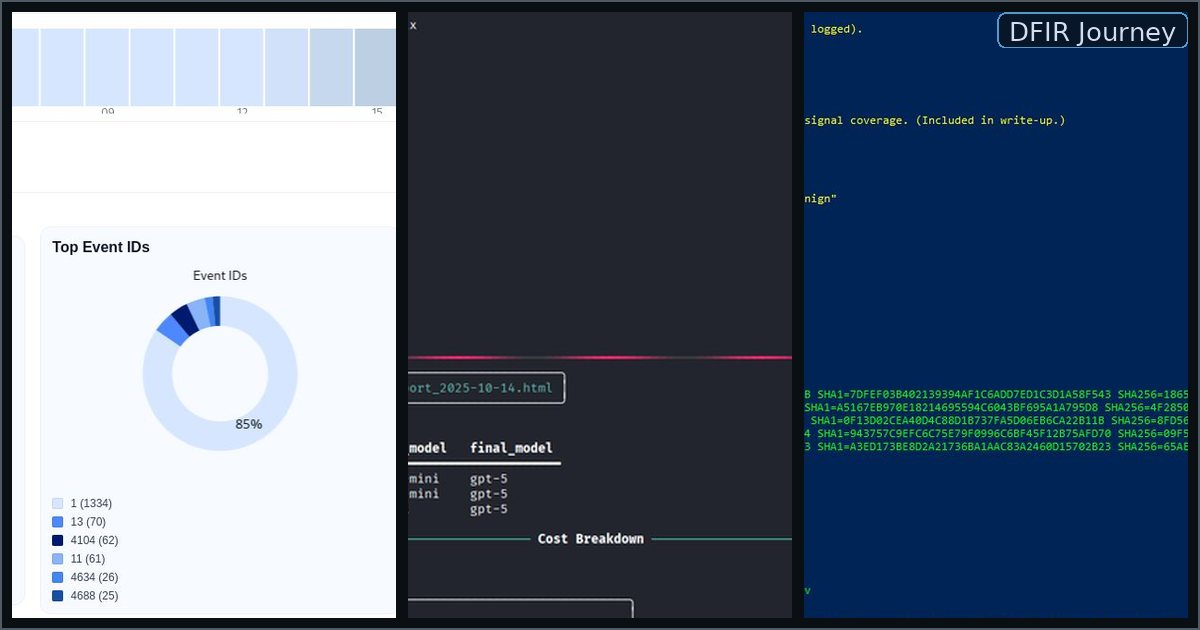
Goal: A reproducible DFIR lab pipeline: Sysmon emits clean telemetry → Chainsaw hunts EVTX with Sigma → JSON detections flow into ForenSynth AI.
1) Lab Topology (Minimal Viable Setup)
- Host: Your workstation (analysis + Git operations)
- Windows 10/11 VM (Target): Generates events, runs Sysmon
- (Optional) Kali/Ubuntu VM: Auxiliary analysis tools
Network: Host-only or NAT. Keep the Windows VM reachable via shared folders for exporting EVTX.
2) Sysmon Installation (SwiftOnSecurity config)
- Copy
Sysmon64.exeand the SwiftOnSecurity config (e.g.,sysmonconfig-export.xml) to the Windows VM. - Install:
Sysmon64.exe -accepteula -i sysmonconfig-export.xml
- Verify service:
Get-Service Sysmon64
- Confirm logs are flowing:
- Windows Event Viewer → Applications and Services Logs → Microsoft → Windows → Sysmon → Operational
- You should see Event IDs like 1 (Process Creation), 3 (Network), 7 (Image Load), 10 (Process Access), 11 (File Create).
Tip: Keep a copy of the exact Sysmon XML you used in your repo for reproducibility.
3) Generate Telemetry (Static → Random)
- Static:
Simulate-DFIR-Noise.ps1(baseline, deterministic) - Static + PowerShell:
Simulate-DFIR-Noise-PS EncodedCommand(adds 4104/4688) - Random:
Random_DFIR_Noise_Simulator.ps1(varied order/volume/timing withcustom-iocs.json)
Example (randomized):
.\Random_DFIR_Noise_Simulator.ps1 `
  -Preset custom `
  -ConfigFile .\custom-iocs.json `
  -PerRunSubfolder `
  -Scenario Random `
  -Variety high `
  -OfflineMode Auto `
  -DetectionsMax 1700

Simulator producing high-signal Sysmon events
Simulator producing high-signal Sysmon events
4) Export EVTX for Hunting
From the Windows VM:
$ts = Get-Date -Format "yyyy-MM-dd_HH-mm-ss"
$dst = "C:\DFIR\evtx_$ts"
New-Item -ItemType Directory -Path $dst | Out-Null

# Export Sysmon and Security logs
wevtutil epl Microsoft-Windows-Sysmon/Operational "$dst\sysmon_$ts.evtx"
wevtutil epl Security "$dst\security_$ts.evtx"
Move the folder to your host (shared folder, SMB, or drag-and-drop).
5) Chainsaw + Sigma Hunt
5.1 Install Chainsaw (host)
- Place
chainsaw.exe(or binary) in your PATH: e.g.,E:\Tools\chainsaw\chainsaw.exe.
5.2 Acquire Sigma rules + mapping
- Curated small ruleset for Windows/Sysmon and a mapping file, e.g.:
sigma/rules/windows/(subset)sigma/mappings/sigma-event-logs-all.yml
Keep the set small for demos; large rule packs slow local hunts.
5.3 Run hunts
# Paths (adjust)
$EVTX = "E:\Cases\case01\evtx"               # contains *.evtx
$RULES = "E:\Tools\sigma
ules"
$MAP   = "E:\Tools\sigma\mappings\sigma-event-logs-all.yml"
$OUT   = "E:\Cases\case01\detections"

# JSON detections (preferred for ForenSynth AI)
chainsaw hunt $EVTX --rules $RULES --mapping $MAP --json "$OUT\detections.json"

# CSV (optional quick glance)
chainsaw hunt $EVTX --rules $RULES --mapping $MAP --output "$OUT\hunt.csv"
Tip: Use date-stamped case folders, e.g.,
E:\Cases5-10-16_case01\....
6) Quick Sanity Checks on Detections
# Count detections
Get-Content "E:\Cases\case01\detections\detections.json" | ConvertFrom-Json | Measure-Object

# Top rules
(Get-Content "E:\Cases\case01\detections\detections.json" | ConvertFrom-Json).ruleTitle |
  Group-Object | Sort-Object Count -Descending | Select-Object -First 10
Look for:
- Expected Event IDs (4688, 4104, 1/3/11, etc.)
- Reasonable timestamps and hostnames
- IOC appearance from your simulator’s JSON
7) Feed Into ForenSynth AI
On the host:
# Example invocation; adjust to your CLI
python .\src
2.3.3\ForenSynth_ai_v2_3_3_visual.py `
  --input "E:\Cases\case01\detections\detections.json" `
  --outdir "E:\Cases\case01
eport" `
  --integrity `
  --html --pdf
Outputs
report.md/report.html/ (optional)report.pdf- Evidence appendix (hosts/users/rules/IOCs)
- Footer metadata (model, SHA256, timestamp)
8) Reproducibility & Integrity
- Version tag: note the ForenSynth AI version used (e.g.,
v2.3.3) - Hash reports: store SHA-256 of outputs
- Case foldering: one subfolder per run (
YYYY-MM-DD_HHMM_caseNN) - Rule log: record Sigma subset & mapping file versions used
Get-FileHash "E:\Cases\case01
eport
eport.html" -Algorithm SHA256
9) Troubleshooting Cheatsheet
- No Sysmon events: confirm Sysmon service is Running and correct XML loaded
- Few detections: widen Sigma subset, generate more simulator noise, or include Security.evtx
- Slow hunts: reduce rule count; split EVTX by time window
- LLM truncation: cap batch size for ForenSynth AI micro-summaries
- Mismatch mapping: ensure your Sigma mapping YAML matches EVTX sources (Sysmon vs Security)
10) What “Good” Looks Like
- You can install/verify Sysmon and export EVTX on demand
- Chainsaw produces non-zero JSON detections with varied rule hits
- ForenSynth AI renders a coherent narrative with IOC/MITRE sections
- Each run is isolated, hashed, and traceable end-to-end
🧭 Why this matters: This pipeline proves you can instrument, collect, hunt, summarize, and publish — the core DFIR loop. Everything is auditable, versioned, and portfolio-ready.